

Textile Trading ERP from order to tax invoice.
Built for Indian textile traders.
One platform — catalog order to dispatch.
Sarees, lehenga choli, dress material, shirt cut pieces — whatever you trade. Customer orders, greige purchase, job work at mills, dispatch, and tax invoicing in one system.
The 8-Step Trading Flow
- 01 Customer Order A buyer places an order for a catalog — quantity, design, and delivery date captured in the system.
- 02 Greige Purchase You procure raw greige fabric to fulfil the order. A purchase order is raised directly from the system.
- 03 Purchase Inward Fabric arrives at your premises. You receive it and record the purchase invoice — vendor, quantity, and rate.
- 04 Job Work Challan The fabric moves to a mill for dyeing, printing, or embroidery. A challan is issued and the material is tracked from the moment it leaves.
- 05 Material Receipt Finished fabric comes back from the mill. Receipt is logged against the challan — short receipts are flagged automatically.
- 06 Job Work Invoice The mill sends their bill. You book it against the challan — processing cost is now tied to the specific lot.
- 07 Dispatch Finished goods go out against the customer order. The system checks quantities — no over-dispatch, no missed items.
- 08 Tax Invoice A GST-compliant tax invoice is generated from the dispatch entry. E-way bill and party ledger update automatically.
Every part of your trading unit. One system.
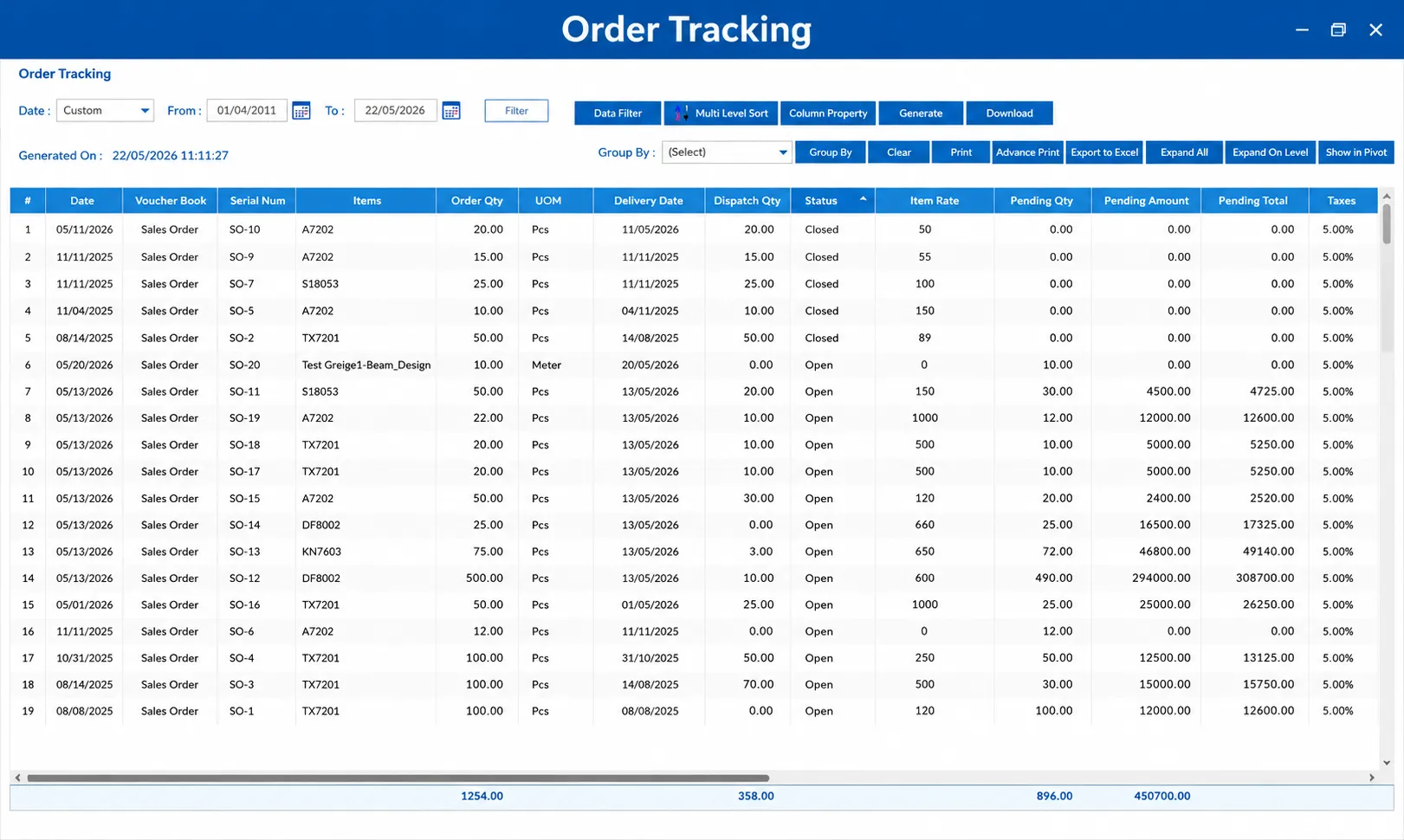
Order Management
Customer catalog orders tracked from booking to dispatch. Know exactly which orders are pending, in process, and fulfilled — without calling anyone.
Learn more →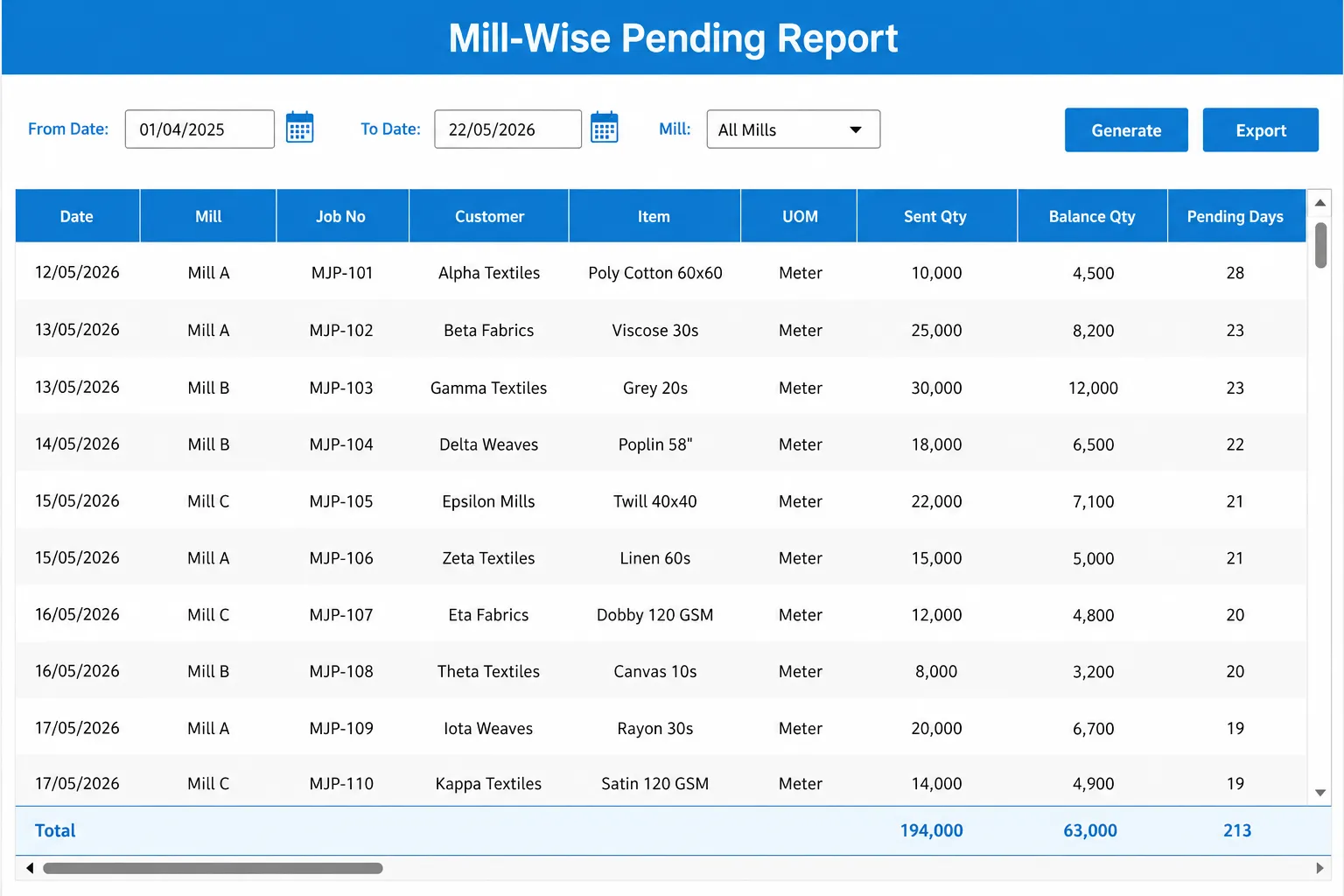
Purchase & Job Work
Greige purchase, mill challan, job work tracking, and invoice booking in one flow. Know what is at which mill and when it is expected back.
Learn more →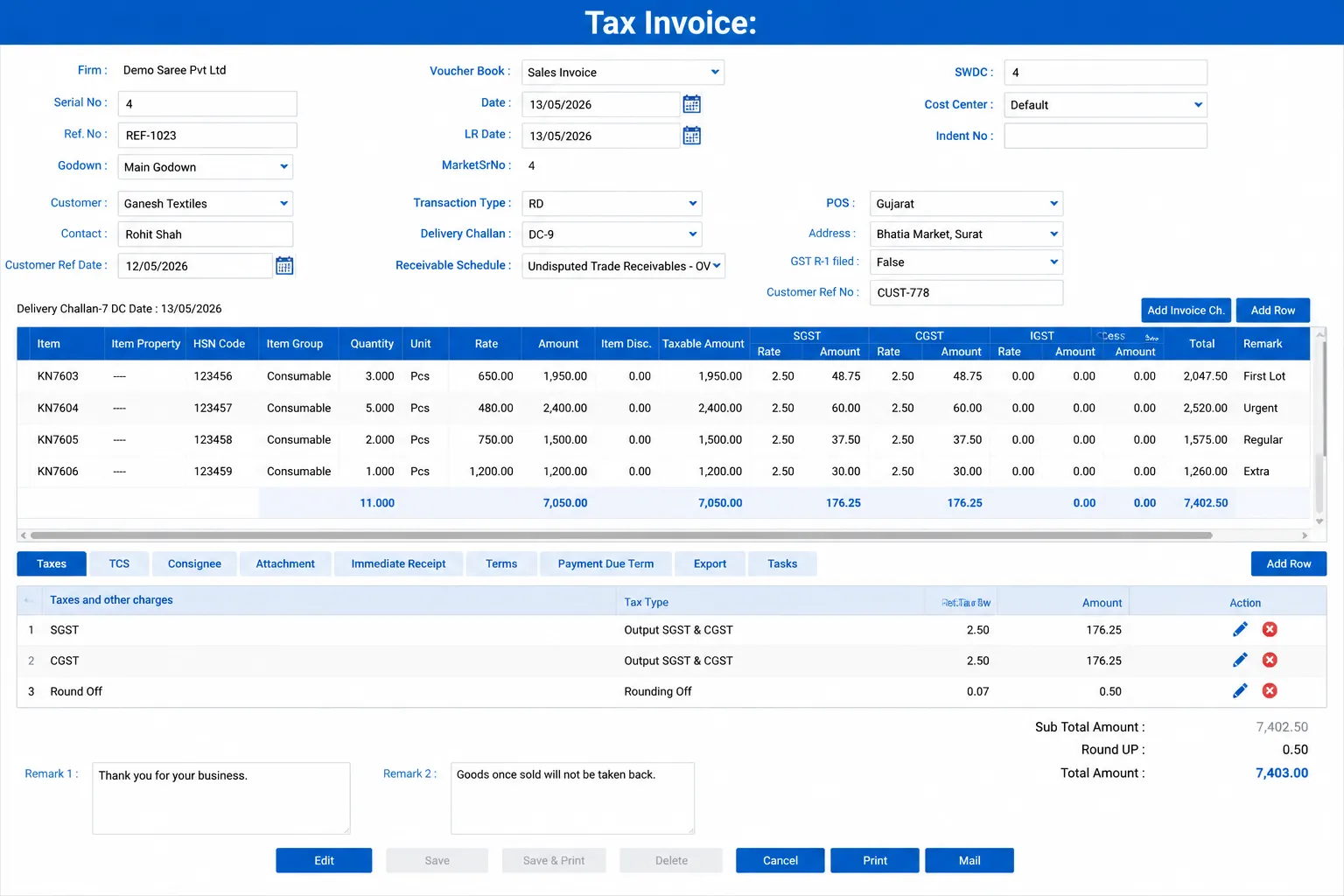
Dispatch & Billing
Dispatch finished goods against orders, generate tax invoices, manage e-way bills, and track outstanding — without juggling Tally and spreadsheets.
Learn more →Spreadsheets cover today. MobiOffice covers the unit.
| Option A Spreadsheets & registers | Option B Generic ERP (Tally alone) | The Trading ERP |
|---|---|---|
| Order registers maintained manually — no view of what is pending vs delivered | Accounts are covered, trading operations are not tracked | Customer orders tracked from booking to dispatch — pending, in-process, and fulfilled in one view |
| Job work challans written by hand — no system to track what is at which mill | No job work challan or mill-wise pending tracking | Job work challans generated digitally — mill-wise pending and received quantities tracked in real time |
| Purchase invoices filed in folders — no link to order or job work | Purchase entry in Tally not linked to catalog orders or job work | Purchase inward linked to order → job work → dispatch — full material trail from greige to finished goods |
| Dispatch done from memory — no check against what was ordered | Generic delivery challan, not linked to sales orders | Dispatch entries drawn from the sales order — only ordered items can be dispatched, no over-dispatch |
| Outstanding balances tracked in a separate ledger or Excel | Party outstanding in Tally, not visible with order context | Party-wise outstanding with order and invoice detail — accounts team and owner see the same picture |
| Profitability calculated at month-end, often incorrect | No cost-of-processing or per-catalog margin reporting | Per-catalog profitability with purchase cost, job work charges, and selling price — visible order by order |
We roll out around your business. Not against it.
Most textile trading units are fully live in 4–6 weeks. Your business keeps running throughout.
See the full implementation process →- 01 · Week 1
Discovery & sign-off
We map your current order flow, purchase process, mill relationships, and dispatch workflow. Owner sign-off before any configuration begins.
- 02 · Week 2–3
Master data import
Customer records, catalog masters, vendor details, and party ledgers imported from your existing registers and spreadsheets. No manual re-entry.
- 03 · Week 3–4
Training
Role-specific training for order entry, purchase, job work, and accounts teams. Typically 2–3 sessions per role, 2 hours each.
- 04 · Week 4–6
Phased go-live
Order management and purchase go live first. Dispatch and billing follow. Business keeps running throughout — no forced cutover.
One family. Weaving. Dyeing. Trading.
MobiOffice builds purpose-specific ERPs for every link in India's textile chain. If your unit weaves, dyes, or trades — there is a MobiOffice built for exactly that.
Weaving ERP
For powerloom and handloom weaving units. Loom tracking, beam planning, quality control.
Visit →Dyeing ERP
For dyeing and printing process houses. Batch management, MLR recipes, shade approval.
Visit → You are hereTrading ERP
For textile trading units. Catalog orders, greige purchase, job work, dispatch, and invoicing.